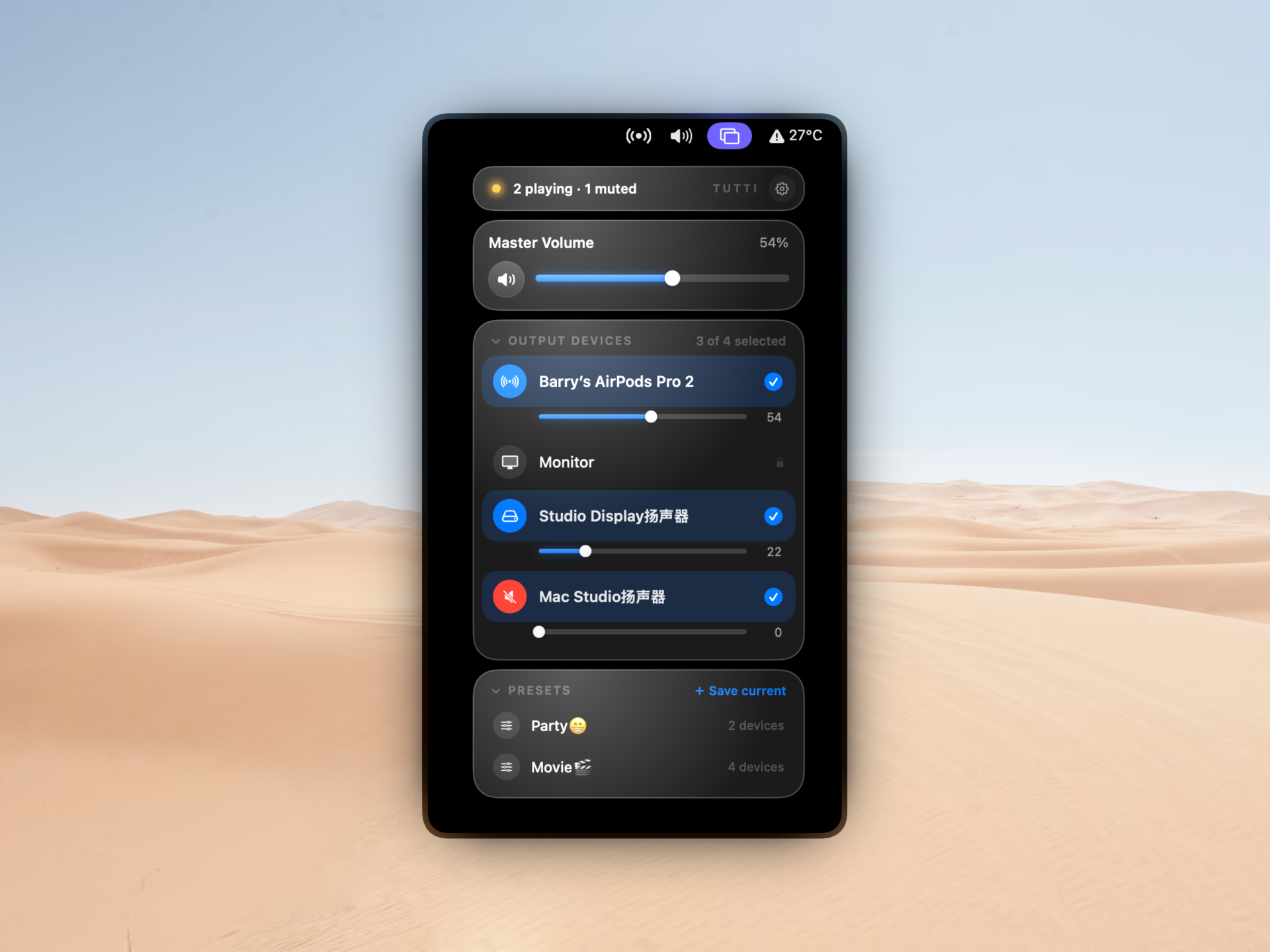
Multi-device output
Tick multiple outputs in the menu bar. Tutti creates an Aggregate Device on the fly and sets it as the system default.
Tutti is a macOS menu bar app that plays the same audio out of every speaker you tick.
7-day Pro trial · macOS 13+ · Source-available
macOS gives you a slider, a device list, and a tiny speaker glyph. Tutti shows what's actually playing, on which devices, and lets you switch in one click — so the built-in icon stops earning its spot in your menu bar.
Single output at a time. No multi-device sync, no battery readout, no quick mute state, no per-device volume.
Multi-device output, per-device sliders, a mute indicator, Bluetooth battery, and hardware volume keys that hit every speaker at once.
First launch walks you through hiding the system icon: System Settings › Control Center › Sound › Don't Show in Menu Bar.
In a score, tutti tells the whole ensemble to come in at once: strings, brass, woodwinds, percussion, on the same beat. This app does the same with your Mac's audio. Pick the speakers you want, and one signal goes out to all of them, in unison.
No virtual cables, no preference panes to dig through. Three actions, one menu.
Open the menu bar and tick any combination of output devices: built-in speakers, AirPods, USB DAC, HDMI display, anything macOS sees.
Tutti spins up an Aggregate Device on the fly and sets it as the system default. Pick just one speaker and there's no aggregate; Tutti switches the default directly.
Music, system sounds, video calls: every app sends to the aggregate, and every speaker plays the same audio at the same moment.
Built for everyday use, not just the first time you open it.
Tick multiple outputs in the menu bar. Tutti creates an Aggregate Device on the fly and sets it as the system default.
One slider for everything, plus individual sliders for each output. Silence one speaker while the rest keep playing.
“Playing on all”, “partially muted”, or “all muted”, with a synchronized text label and color dot in the menu bar.
Battery level shows next to the device name for AirPods, Beats, and any Bluetooth headset that reports it.
Once macOS routes audio to an AirPlay receiver, it appears in Tutti's device list as an airplayaudio-marked output, ready to be selected like any other device.
Switch the default output from System Settings or Control Center and Tutti notices right away. It tears the Aggregate Device down and updates the menu selection.
Cleans up Aggregate Devices left behind by a previous crash, plus old MultiOut residues, every time it launches.
Follows your macOS appearance, system accent color, and language. Nine languages so far.
Optional launch-at-login, with a built-in check against GitHub Releases for new versions.
Five scenarios people actually wrote in about.
Living room speaker plus Bluetooth headphones at the same time. Your friend wears the headphones while you play out loud.
Monitor through headphones while broadcasting to an audience or a capture card.
Drive a pair of wired speakers in the living room and another pair in the bedroom, from one Mac.
Share one Mac with two pairs of headphones plugged in, both hearing the same thing.
Teacher hears prompts in their headphones while the classroom speaker plays for students.
Volume takeover and presets. One price. One-time.
Pro lets you adjust volume without opening Tutti, and save device combinations as presets. Keyboard volume keys (F11 / F12 / mute) drive the aggregate output globally; the scroll wheel on the menu bar icon or inside the popover panel does the same. Shift+Option fine-grain steps match the system. Save the speaker combinations you use most as presets and switch with one click from the menu bar.
Every new install starts a 7-day Pro trial on first launch, no license key required. After the trial, every free-tier feature keeps working without limits.
Some things Tutti deliberately leaves out.
Where Tutti would like to go next. Timing depends on what macOS opens up to third-party apps, so no promised dates.
Audio MIDI Setup can create Aggregate Devices, but switching combinations is a multi-step trip through Applications → Utilities. Tutti puts the same operation behind one menu bar checkbox and tears the aggregate down for you when you're done.
Yes. First launch starts a 7-day Pro trial: no license key, no email, no card. After it ends, every free-tier feature keeps working forever; only the Pro hardware key takeover gets locked.
It's a small utility that does one thing well. A one-time license fits the product. All future Pro features are included in the same $7.99.
Up to two. Activate and deactivate from Settings → License at any time.
Fourteen days, no questions asked. Email me and I'll process it.
Universal binary. Anything running macOS 13 (Ventura) or later.