macOS Audio Units guide: Apple’s built-in effects, third-party plug-ins, and system-wide chains
Learn what Audio Units (AU) are on macOS, how to run them system-wide per output device in Tutti on macOS 14.4+, what Apple’s built-in AU effects do, and which free and pro third-party plug-ins work well for everyday listening.
Quick answer: Audio Units (AU) are macOS’s native audio plug-in format, normally locked inside DAWs like Logic Pro or GarageBand. On macOS 14.4 or later, Tutti lets you load Apple’s built-in Audio Units and third-party
.componentplug-ins system-wide on any local Core Audio output device—alongside Tutti’s own built-in effects.
What Audio Units are—and where Tutti runs them
An Audio Unit processes audio in real time: equalizing a room, compressing loud movie explosions, adding natural headphone crossfeed, or limiting sudden spikes.
In Tutti (macOS 14.4+), you can build an independent processing chain for each local Core Audio output (headphones, USB DACs, desktop speakers, audio interfaces). Keep two boundaries in mind:
- Local outputs only: AU chains do not apply to AirPlay outputs.
- Not active during Tutti Theater stereo pairing: when two outputs are paired in Tutti Theater, per-output AU chains pause automatically.
Tutti’s 4 built-in output effects
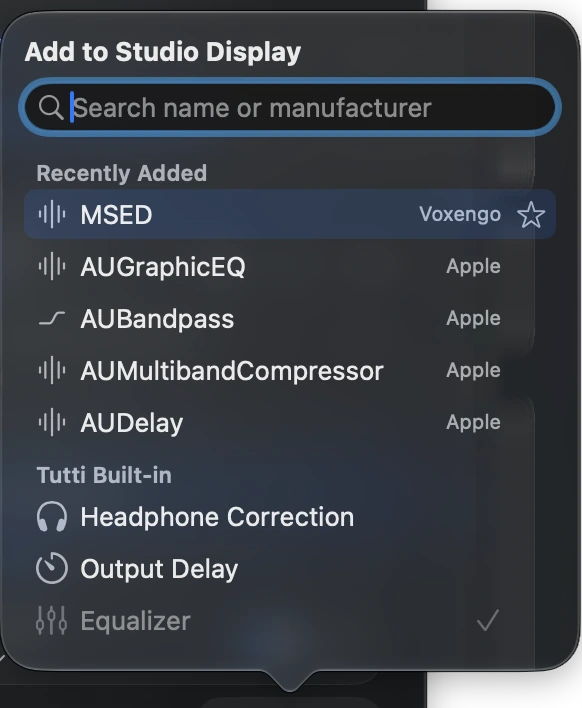
Before adding external plug-ins, every local output in Tutti already includes four lightweight, zero-setup blocks:
- Equalizer: a 6-band Output EQ with linked sliders and built-in curves.
- Headphone Correction: offline OPRA catalog (1,511 profiles across 755 models and 174 brands) plus custom Equalizer APO / AutoEq
.txtimport. - Output Delay: millisecond sync offset for aligning speakers or compensating Bluetooth latency.
- Left/Right Balance: independent per-output stereo pan.
Apple’s built-in macOS Audio Units cheat sheet
Every Mac ships with a suite of studio-grade Apple Audio Units out of the box—no downloads required:
| Apple Audio Unit | What it does | When to use it |
|---|---|---|
AUNBandEQ | Multi-band parametric EQ with selectable filter types | Surgical room-mode cuts or fine speaker tuning beyond 6 bands |
AUDynamicsProcessor | Compressor and expander | Evening out quiet dialogue vs. loud explosions for late-night movies |
AUPeakLimiter | Hard output ceiling limiter | Safety net at the end of a chain to stop sudden loud spikes or clipping |
AUMultibandCompressor | Splits audio into frequency bands with independent compression | Taming boomy bass or harsh highs without squashing the whole mix |
AUMatrixReverb / AUReverb2 | Algorithmic room and space reverb | Adding subtle room ambience to dry, fatiguing headphones |
AUHighPassFilter / AULowPassFilter | Steep low-cut or high-cut filter | Rolling off desk rumble below 60–80 Hz or softening harsh treble |
AUDelay / AUSampleDelay | Echo delay or exact sample-level offset | Creative echo effects or ultra-fine phase/timing alignment |
AUNewPitch | Real-time pitch shifter | Transcribing music or practicing an instrument in another key |
AUDistortion / AUBandpass | Saturation and narrow band-pass filtering | Creative tone shaping or classic radio-voice effects |
Well-known third-party Audio Units
Third-party Audio Units are separate plug-ins you install yourself as .component bundles in /Library/Audio/Plug-Ins/Components/ (system-wide) or ~/Library/Audio/Plug-Ins/Components/ (current user). Once installed, they appear automatically in Tutti’s AU picker.
Free standouts
- TDR Nova: a dynamic equalizer that responds only when harsh vocals or sibilance cross a threshold.
- Valhalla Supermassive: lush spatial reverb and delay for ambient listening or creative soundscapes.
- Klanghelm MJUC jr.: warm, musical tube-style compressor for smoothing out thin streams or podcasts.
- OrilRiver: clean, natural-sounding room reverb with low CPU usage.
Pro & paid favorites
- FabFilter Pro-Q: industry-standard parametric EQ with real-time spectrum analyzer and dynamic bands.
- FabFilter Pro-L: transparent true-peak limiter for clean loudness control.
- Goodhertz CanOpener Studio: realistic speaker crossfeed that makes headphones feel closer to studio monitors.
- iZotope Ozone / Neutron: full mastering and tonal-balance suites for critical listening or reference checks.
Practical tips for clean chains and low latency
- Order matters: a reliable default order is Headphone Correction → EQ → Dynamics / Limiter, so frequency correction happens before compression and your limiter catches final peaks.
- Watch lookahead latency for video: linear-phase EQs and mastering limiters often add lookahead delay. Test with a video before leaving heavy plug-ins enabled for movies or games.
- Where
.componentfiles live: if a newly installed AU does not show up, verify its.componentfile is in/Library/Audio/Plug-Ins/Components/or~/Library/Audio/Plug-Ins/Components/and restart Tutti.
Sources
Want simpler sound and display controls?
Tutti brings audio outputs, app volume and display brightness into one native menu bar panel.
Download Tutti